Annual “Wrapped” for your Creative Agency
My project management office generated its best executive engagement last year with a simple idea: bring the love of Spotify Wrapped to our creative agency’s work management system, Asana. Returning from that winter break is the best time to structure your PMO’s work to enable a simple, annual dashboard!
This really powers up when you have year-over-year data to post on your team’s Slack, Team, Listserv, etc. with a brief analysis of the dashboard. A simple number that reads “XX% more deliverables completed since last year” is a memorable figure that your executes can share with pride.
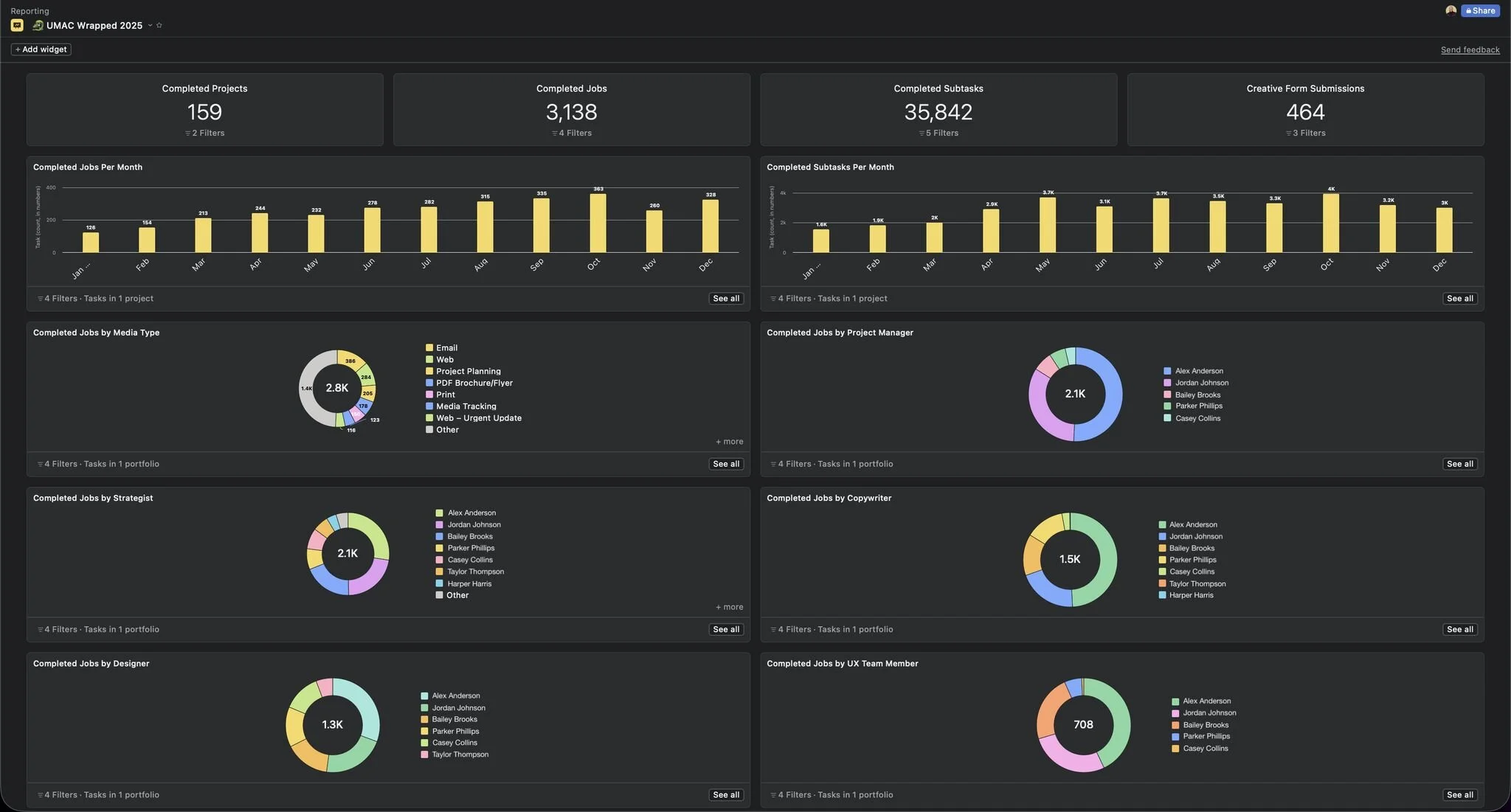
An abbreviated versioned of the dashboard prepared for Drexel’s creative agency
A few values that went a long way for my team
The count of completed projects (a number)
The count of submissions to our intake form (a number)
The count of completed deliverables per month (a bar chart)
The disbursement of completed deliverables by copywriter, designer, and other roles (pie charts)
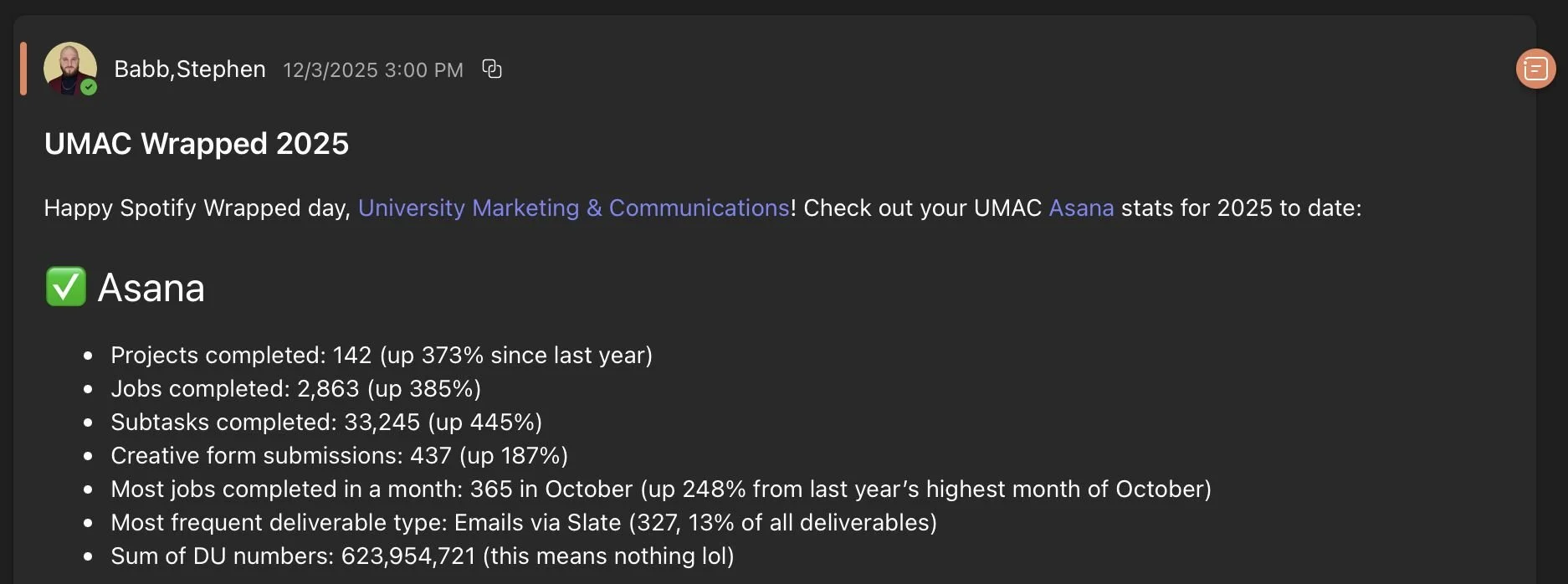
An excerpt of the post for Drexel’s creative agency
Create an annual “Wrapped” dashboard in Asana
Create a new dashboard and clear the default widgets
Create your first widget: the count of completed projects
Report on projects
Include projects from a portfolio that aggregates every project in Asana
Select a “Number” chart style
Display the “Project” value
Filter only “Complete” projects
Filter the project due date between Jan. 1 – Dec. 31 of the current year
Repeat these selections for other values you want to display, including the ideas below
How does your PMO share an annual reflection of your organization’s accomplishments?